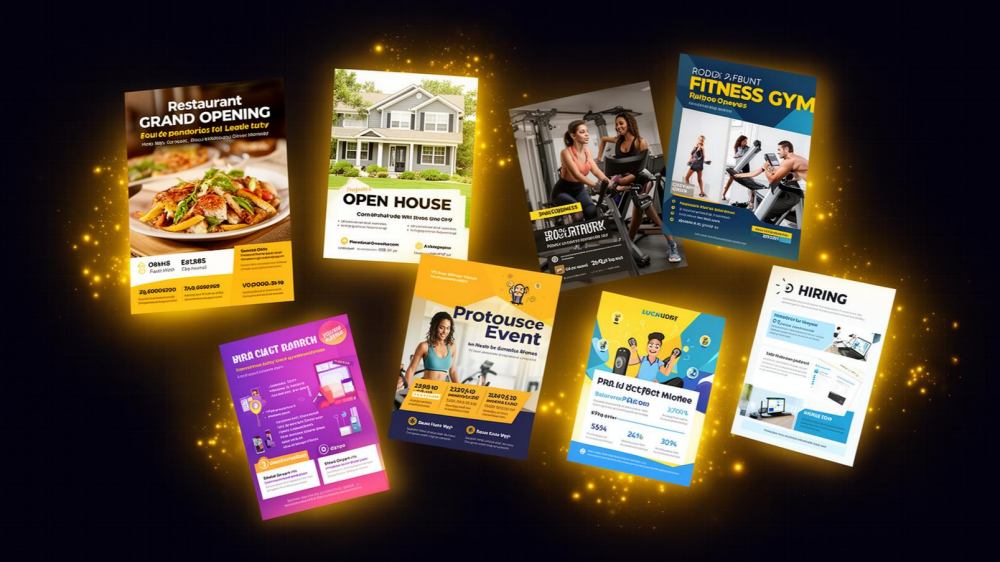
Type “flyer maker” into Google and you’ll get a wall of options, most trying to be everything at once: video editor, brand hub, presentation tool, print shop. Overkill if you just need a clean flyer for Saturday’s sale. Most small business owners need something fast, cheap, and forgiving of the fact that they’ve never opened Illustrator in their life.
AI has quietly closed the gap between professional designers and people with a laptop and an idea. Tools now write your copy, generate original artwork from a sentence, and strip backgrounds out of photos in a click. Below is an honest look at five platforms doing this well, what they cost as of this writing, and who each one actually fits.
So Which AI Flyer Tool Should You Actually Use?
Picking the right one comes down to matching the tool to your workload, not chasing whichever app has the flashiest demo video. Here’s how the five stack up.
1. Adobe Express
Adobe Express is the trimmed-down, browser-based sibling of Photoshop and Illustrator, built for Adobe-grade polish without the Adobe-grade learning curve. The free plan is usable, but Premium runs $9.99 a month for 250 generative credits monthly, the full Adobe Stock library, and Firefly-powered image generation. Want more? Firefly Pro jumps to $19.99 a month for 4,000 credits and text-to-video. The AI toolkit covers text-to-image generation, background and object removal, and generative fill, all trained on licensed content, which matters if copyright claims worry you. Credits run out fast with heavy use, and the interface still carries some scaled-down Photoshop stiffness. Suits small business owners with a little design comfort already, or anyone growing into the wider Adobe ecosystem.
2. Canva
Canva needs no introduction; it’s the default answer for “how do I make a flyer.” Pro costs $180 a year for one person, Business runs $250 a year per seat for teams. Under the hood sits Magic Studio: Magic Write for copy, Magic Design for full layouts from a prompt, a background remover, Magic Eraser and Expand for photo cleanup, text-to-image generation. The drag-and-drop editor is arguably the easiest on this list to pick up cold. A lot of the best templates still sit behind the Pro paywall though, and even paid AI features carry usage caps. Works well from total beginners to teams needing shared brand kits, though it can feel bloated for just one flyer.
3. VistaCreate
VistaCreate is the quiet value play here. The free Starter plan is unusually generous, AI tools included that most competitors reserve for paid tiers, and Pro is just $10 a month with unlimited storage, unlimited brand kits, and 170 million-plus stock assets. Its AI lineup covers an Image Generator, AI Writer, Object Remover, Background Remover, and an Object Grabber for isolating subjects in photos. Refreshingly uncomplicated. Where it falls short: the template library is thinner than Canva’s or PosterMyWall’s, video tools feel basic, and less brand recognition means fewer tutorials when you get stuck. Strong pick for solopreneurs testing AI design tools without committing real money.
4. Visme
Visme leans harder into infographics and data-heavy documents than pure flyer design, but it handles the job fine. Pricing starts at $12.25 a month for Starter (200 AI credits), climbing to $24.75 a month for Pro (500 credits, brand kit, analytics). Its AI Designer, AI Writer, AI Resize, and text-to-image tools all run on a per-credit system, so heavy batching burns through your allotment fast. The upside: strong analytics, solid team collaboration, tools that scale into reports and decks. The downside: a steeper learning curve, and metering that feels stingy next to flat-rate competitors. Best for teams juggling multiple content types, not someone who just wants a fast poster tonight.
5. PosterMyWall
PosterMyWall is built around the kind of marketing small businesses actually produce: flyers, posters, social posts, event pages, email campaigns, all under one roof. The free plan already includes over a million templates. Premium (roughly $13 a month) adds unlimited watermark-free downloads, monthly AI credits, and a full AI suite: text-to-image generation, an AI Writer for captions, an AI background remover, plus AI voiceovers and subtitles. The browse-to-build workflow through PosterMyWall’s flyer templates is about as fast as this category gets, and Create with AI lets you describe what you want and get a working design back instead of a blank canvas. No Adobe-level stock depth or Visme’s infographic muscle, but for flyers plus the social and email content around them, it’s hard to beat on price and speed.
Which of These Is Best for Beginners?
If you’ve never designed anything before, PosterMyWall and Canva are the friendliest on-ramps; both hand you a finished template and let AI fill in the gaps. VistaCreate is close behind, mostly because its free tier doesn’t cripple the AI tools. Adobe Express and Visme work for beginners too, just expect a longer runway.
How to Choose the Right Tool for Your Design Goals
Start with volume. Churning out a flyer every week? Credit-metered plans (Visme, and to a lesser extent Adobe) get expensive or restrictive fast, so a flat-rate plan makes more sense. If stock photography matters, Adobe’s library is the deepest, though PosterMyWall’s AI background remover often solves the same problem by turning your own product photos into clean cutouts instead. Budget-conscious solo operators should look hard at VistaCreate or PosterMyWall’s free tiers first. Designing with a team? Prioritize brand kits over flashier AI extras, since consistency across five people matters more than one more filter.
Benefits and Drawbacks at a Glance
| Tool | Best For | Drawback |
|---|---|---|
| Adobe Express | Users wanting Adobe-grade polish | Credit limits and a steeper interface |
| Canva | Broad, all-purpose design needs | Best features locked behind Pro |
| VistaCreate | Budget-conscious beginners | Smaller template and asset library |
| Visme | Teams making infographics and reports | Credit system limits heavy flyer output |
| PosterMyWall | Flyers, events, and local marketing | Less suited to corporate infographics |
Frequently Asked Questions (FAQs)
1. Can AI actually design a good flyer, or does it just fill in a template?
Modern AI flyer tools do both. Text-to-image generation produces original artwork from a written description, while AI-assisted layout tools rearrange text, color, and imagery to fit a template automatically. Platforms like PosterMyWall combine the two, so you generate custom visuals and drop them straight into a flyer layout.
2. Do I need stock photos, or can AI replace them?
Depends what you’re advertising. With your own product or event photos, an AI background remover can clean them up enough to skip stock entirely, often faster and more authentic than a generic stock image. No usable photos? A deep stock library or a text-to-image generator matters more when picking a tool.
3. Is it worth paying for a premium plan just to make flyers?
Designing occasionally, most free tiers cover the basics fine. Need watermark-free downloads, unlimited AI generations, or scheduling and email extras? A modestly priced premium plan usually pays for itself in saved time. Several tools here, PosterMyWall included, price their premium tier low enough that it’s a rounding error against what a freelance designer would charge for the same flyer.
The Bottom Line
There’s no single best AI flyer maker for everyone, but for small businesses that need flyers, social posts, and emails without juggling three subscriptions, PosterMyWall hits the sweet spot of price and speed. Open the Create with AI tool and describe your next flyer in a sentence to see what that looks like in practice. It’s a fast way to find out whether this is the platform that finally makes flyer design a five-minute task instead of a Tuesday-afternoon project.


